01 / CALCULATE
Use the units you work in.
Add feet and inches, work with fractions, convert metric measurements and reuse earlier results. Keep everyday math close at hand.
Feet, fractions and field calculations. Keep the measurements, photos and notes for your next job in one place.
Coming soon to the App Store · U.S. launch price
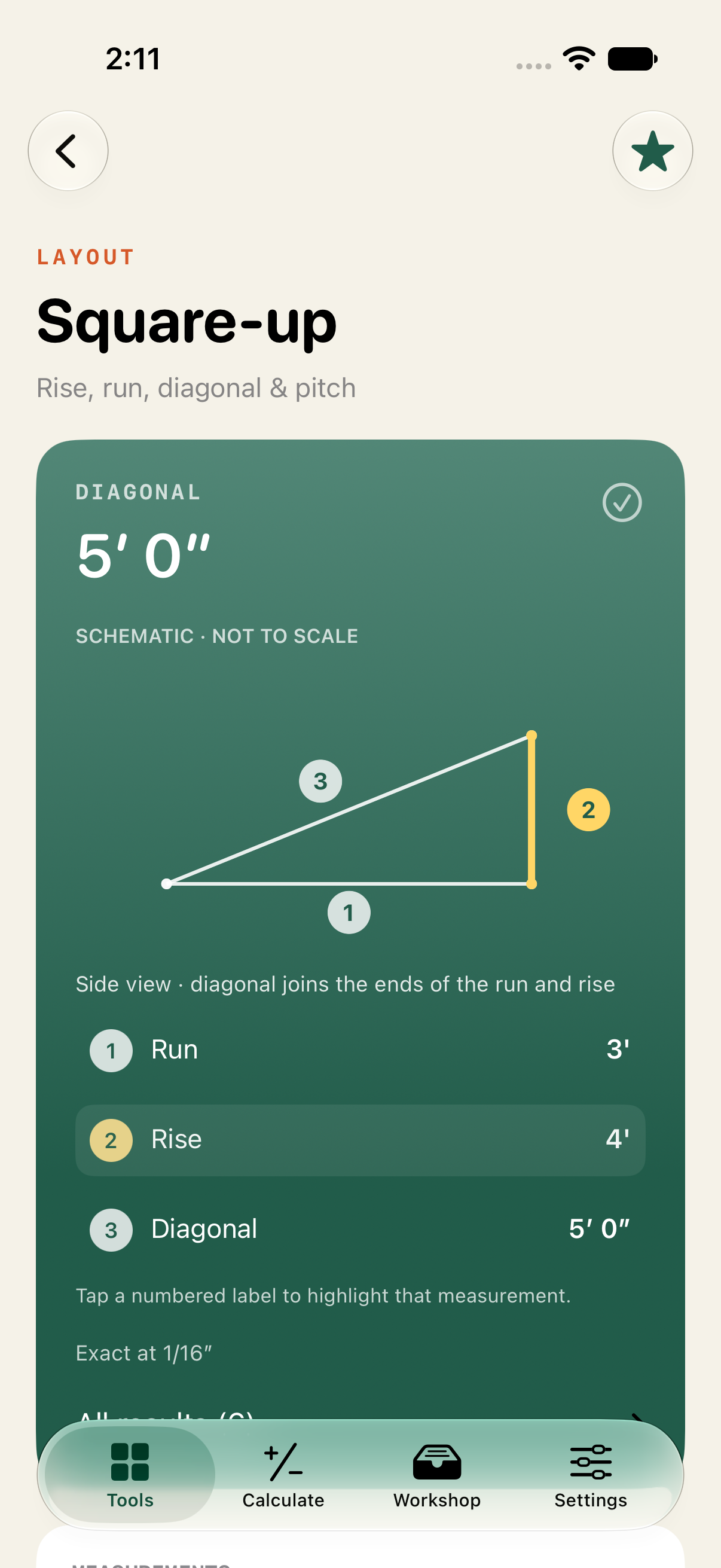
Add feet and inches, work with fractions, convert metric measurements and reuse earlier results. Keep everyday math close at hand.
Work through spacing, stairs, rafters, board feet and material quantities. Tap a measurement label to highlight its reference on the schematic.
Organize calculations in job folders. Add notes and photos, prepare cut lists and estimates, and export PDFs when it’s time to share.
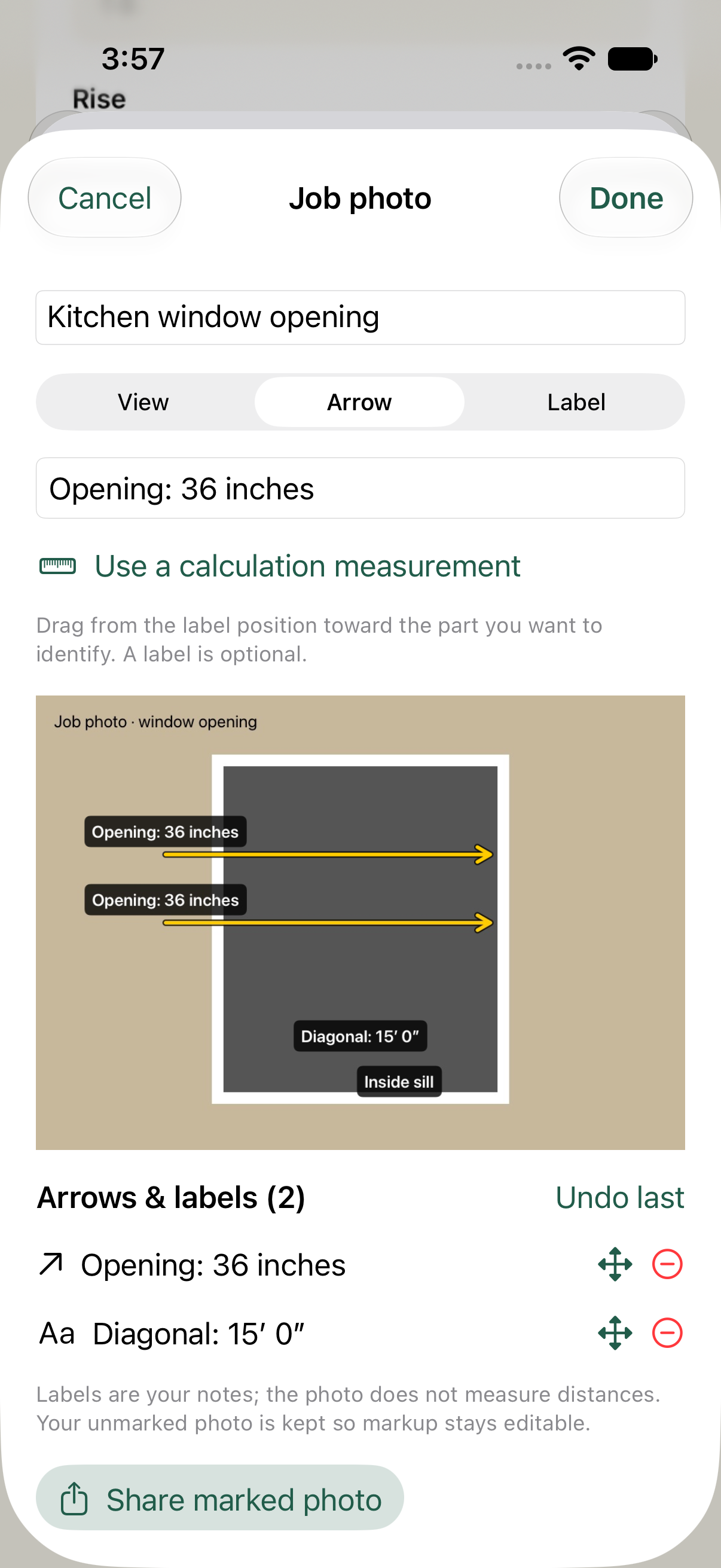
Add arrows, place measurement labels and write a caption. Keep the original image so your markup stays editable.
Photos are references. TradeCalc does not infer distances from an image.
Tap a Field Guide example to open the matching tool with its values filled in. Change a measurement and see how the result changes.
Requires iOS or iPadOS 17 or later. Verify site measurements, construction details and saw settings for your project. TradeCalc calculates from your inputs; it does not certify structural capacity or building-code compliance.